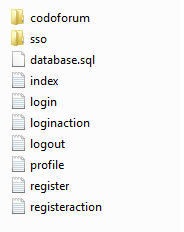
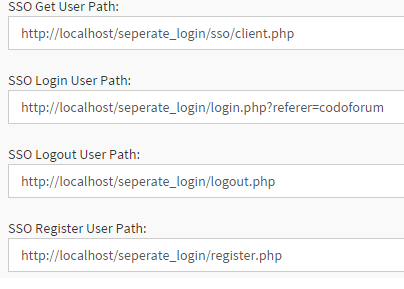
Thank u so much for your reply 
yes i'm testing in localhost.
I made a changes only in client.php [downloaded from https://github.com/evnix/codoforum-sso] ,on documentation of sso they told only to edit client.php file.
Now, you only have to edit and upload the file client.php and sso.php to your server(website) but do not edit sso.php.
Changes made in client.php
$settings = array(

  "client_id" => 'myclientid',
  "secret" => 'mysecret',
  "timeout" => 6000
);
if (USER_IS_LOGGED_IN) {
$account['uid'] = $_SESSION['login_userid'];
$account['name'] = $_SESSION['login_username'];
$account['mail'] = $_SESSION['login_email'];
$account['avatar'] = '';
}
Thank u so much for your reply :)
yes i'm testing in localhost.
I made a changes only in client.php [downloaded from https://github.com/evnix/codoforum-sso] ,on documentation of sso they told only to edit client.php file.
> Now, you only have to edit and upload the file client.php and sso.php to your server(website) but do not edit sso.php.
Changes made in client.php
````
$settings = array(
"client_id" => 'myclientid',
"secret" => 'mysecret',
"timeout" => 6000
);
````
````
if (USER_IS_LOGGED_IN) {

    $account['uid'] = $_SESSION['login_userid']; //Your logged in user's userid
    $account['name'] = $_SESSION['login_username']; //Your logged in user's username
    $account['mail'] = $_SESSION['login_email']; //Your logged in user's email id
    $account['avatar'] = ''; //not used as of now
}
````
edited Jan 25 '16 at 9:50 am