General discussion
Cannot edit Global Settings

Hello

I have a little issue.
Today i install the script CODOLOGIC and i cannot modify Site tifle , site description and others things at this category.
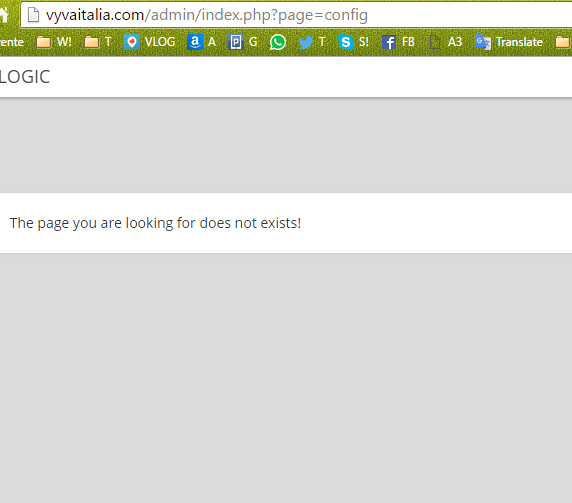
After i press SAVE i receive message

The page you are looking for does not exists!

The path is /admin/index.php?page=config
My admin folder permissions are rwxr-xr-x ( 0755 )

An little help PLS

Hello I have a little issue. Today i install the script CODOLOGIC and i cannot modify Site tifle , site description and others things at this category. After i press SAVE i receive message > The page you are looking for does not exists! The path is /admin/index.php?page=config My admin folder permissions are rwxr-xr-x ( 0755 ) An little help PLS

Claudio....

Do you get the error only for that page ?
Do other admin pages work properly ?

Do you get the error only for that page ? Do other admin pages work properly ?

Did you make any changes in the template codoforum/admin/layout/templates/config.tpl before ?

Did you make any changes in the template codoforum/admin/layout/templates/config.tpl before ?

Did you make any changes in the template codoforum/admin/layout/templates/config.tpl before ?

Nope

I try to cancel and to upload the new one but same error

What can be ???? i'm going crazy !!!!!!!!!!!!!

56a60d75afcd9.png

>Did you make any changes in the template codoforum/admin/layout/templates/config.tpl before ? Nope I try to cancel and to upload the new one but same error What can be ???? i'm going crazy !!!!!!!!!!!!! ![56a60d75afcd9.png](serve/attachment&path=56a60d75afcd9.png)

Claudio....

edited Jan 25 '16 at 11:56 am

Is there any htaccess file in codoforum folder or in admin folder ?
Try removing it.

Did you change the name of the admin folder ?

Is there any htaccess file in codoforum folder or in admin folder ? Try removing it. Did you change the name of the admin folder ?

Is there any htaccess file in codoforum folder or in admin folder ?
Try removing it.

Did you change the name of the admin folder ?

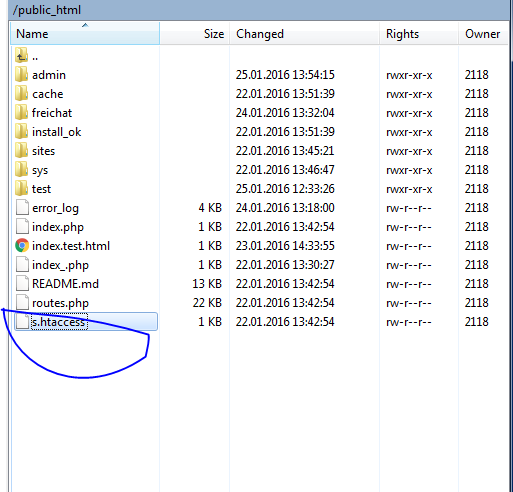
Inside admin folder is no any s.htaccess
But inside /public_html yes

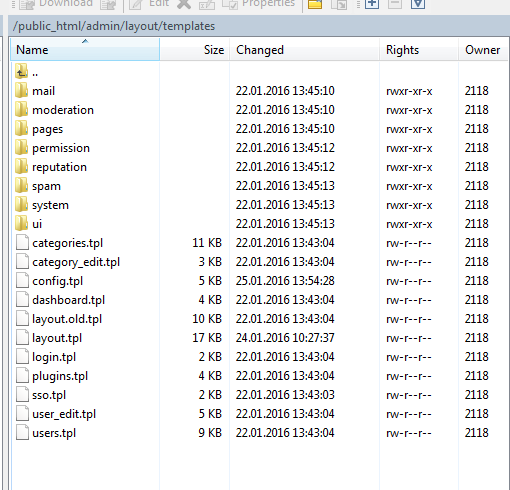
See attach

56a64a9b30f80.png
56a64a9b14a90.png

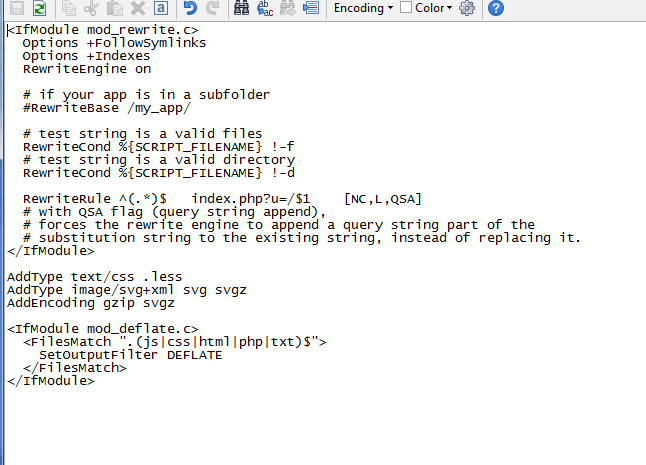
I take an print screen inside s.htaccess

56a64c9e7b285.png

>Is there any htaccess file in codoforum folder or in admin folder ? >Try removing it. >Did you change the name of the admin folder ? Inside admin folder is no any s.htaccess But inside /public_html yes See attach ![56a64a9b30f80.png](serve/attachment&path=56a64a9b30f80.png) ![56a64a9b14a90.png](serve/attachment&path=56a64a9b14a90.png) I take an print screen inside s.htaccess ![56a64c9e7b285.png](serve/attachment&path=56a64c9e7b285.png)

Claudio....

@hard_as_snails NO because the file was created by me on 23.01.2016 and i upload and install the script on 22.

I can cancell but don't change anything

Another idea ?

@adesh1414127033 what i must do with htaccess ? I try to remove, same issue....

@hard_as_snails NO because the file was created by me on 23.01.2016 and i upload and install the script on 22. I can cancell but don't change anything Another idea ? @adesh1414127033 what i must do with htaccess ? I try to remove, same issue....

Claudio....

edited Jan 26 '16 at 8:59 pm

This is a bit weird....

Can you try doing a fresh install of codoforum in a separate folder?

This is a bit weird.... Can you try doing a fresh install of codoforum in a separate folder?

This is a bit weird....

Can you try doing a fresh install of codoforum in a separate folder?

So @adesh1414127033 in the first time i cancell all the files + folders from website via an FTP client.

I cancell and empty the DB MySQL but let with the same name.

Install an FRESH Codologin Forum, navigate to http://vyvaitalia.com/admin/index.php?page=config , edit Site Title , press SAVE and same issue " The page you are looking for does not exists! "

I'm going CRAZYYYY because i really want to use this scrpt because i like it

So .... any ideas ???

>This is a bit weird.... >Can you try doing a fresh install of codoforum in a separate folder? So @adesh1414127033 in the first time i cancell all the files + folders from website via an FTP client. I cancell and empty the DB MySQL but let with the same name. Install an FRESH Codologin Forum, navigate to http://vyvaitalia.com/admin/index.php?page=config , edit Site Title , press SAVE and same issue " The page you are looking for does not exists! " I'm going CRAZYYYY because i really want to use this scrpt because i like it So .... any ideas ???

Claudio....

Can you give us FTP access and codoforum admin details of your forum ?

Can you give us FTP access and codoforum admin details of your forum ?

Can you give us FTP access and codoforum admin details of your forum ?

@adesh1414127033 i finaly make it works from phpMyAdmin

Ty for support ppl smile

>Can you give us FTP access and codoforum admin details of your forum ? @adesh1414127033 i finaly make it works from phpMyAdmin Ty for support ppl :)

Claudio....

Please... help here Am facing the same issue with my Forum is displaying

The page you are looking for does not exists!

Please.. how can i fix this?

Please... help here Am facing the same issue with my Forum is displaying **The page you are looking for does not exists!** Please.. how can i fix this?

Hi

Can you create a new post for this problem?

What is the URL for which you are getting that error?

Hi Can you create a new post for this problem? What is the URL for which you are getting that error?
Necessity is the mother of all inventions!
657
16
7
live preview
enter atleast 10 characters
WARNING: You mentioned %MENTIONS%, but they cannot see this message and will not be notified
Saving...
Saved
With selected deselect posts show selected posts
All posts under this topic will be deleted ?
Pending draft ... Click to resume editing
Discard draft