
General discussion
Photos on Posted Topic Not Shown

Hello,

I just installed Codoforum on my hosting. But, one thing that doesn't work correctly is the picture I upload is not shown, either in the live preview and when the topic is posted. Here is the screenshot.
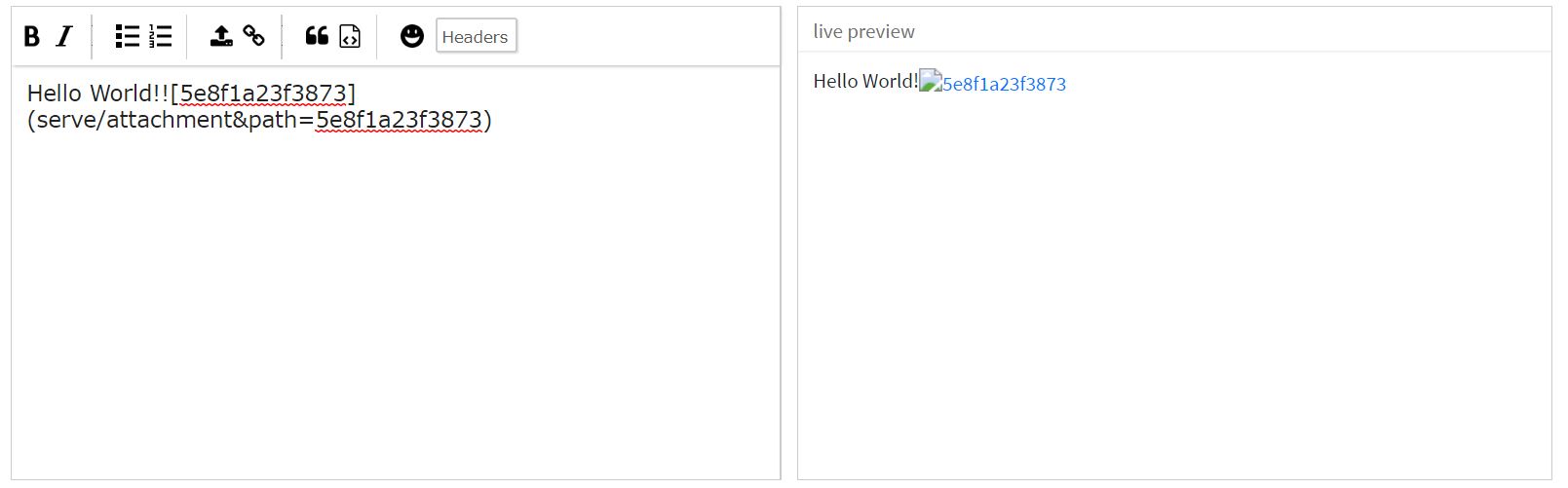
5e8f1a72797aa
5e8f1a72797bf

When I inspect, I found this:
5e8f1ad8f32cf

This is my attachment folder, seems the images are not uploaded correctly.
5e8f1b09524c9

I have searched through another posts about this problem but those posts were several years ago. I just downloaded this Codoforum and installed it a week ago so it is the latest version.

Could anyone help with my problem?

Thanks,
Regard
Billy

Hello, I just installed Codoforum on my hosting. But, one thing that doesn't work correctly is the picture I upload is not shown, either in the live preview and when the topic is posted. Here is the screenshot. ![5e8f1a72797aa](serve/attachment&path=5e8f1a72797aa) ![5e8f1a72797bf](serve/attachment&path=5e8f1a72797bf) When I inspect, I found this: ![5e8f1ad8f32cf](serve/attachment&path=5e8f1ad8f32cf) This is my attachment folder, seems the images are not uploaded correctly. ![5e8f1b09524c9](serve/attachment&path=5e8f1b09524c9) I have searched through another posts about this problem but those posts were several years ago. I just downloaded this Codoforum and installed it a week ago so it is the latest version. Could anyone help with my problem? Thanks, Regard Billy


Hi mate,

does Your server upload folder has the needed rights?
Should be something like: 777 or 775?

Do You have allowed the right mime types at CF global settings panel? Should look like:

image/*,text/plain,audio/mp4,audio/mpeg,application/zip,application/pdf,application/rtf,audio/ogg,video/mp4,video/mpeg,

And at Allowed Upload types(comma separated):

jpg,jpeg,png,gif,pjpeg,bmp,txt,zip,mp4,mp3,pdf,rtf,ogg,mpeg,

Is Your Forum attachment path set right?
Mine looks like:

assets/img/attachments (Yours can look different, it depends on Your folder structure of Your server)

It can also be a https thing error (SSL) - its maybe helpfull to check out CF forum topics about https or SSL.

If You need further help let me know it please.

Kind regards, Andy

Hi **mate**, does Your server upload folder has the needed rights? **Should be something like:** 777 or 775? Do You have allowed the right** mime types** at CF **global settings** panel? **Should look like:** image/*,text/plain,audio/mp4,audio/mpeg,application/zip,application/pdf,application/rtf,audio/ogg,video/mp4,video/mpeg, And at **Allowed Upload types**(comma separated): jpg,jpeg,png,gif,pjpeg,bmp,txt,zip,mp4,mp3,pdf,rtf,ogg,mpeg, Is Your **Forum attachment path** set right? **Mine looks like:** assets/img/attachments (Yours can look different, it depends on Your folder structure of Your server) It can also be a **https thing error (SSL)** - its maybe helpfull **to check out CF forum topics about https or SSL**. If You need further help **let me know it please**. Kind regards, Andy

https://net-twin.de/ Community for creative people - JOIN it Now please
https://github.com/WebCrew My GitHub account
https://sell-co.de/ Lots of Web-Tools and Utilities for free

edited Apr 9 '20 at 5:57 pm

Thanks. I have checked folder permission rights and the mime types. They seems to be correctly set. Recently, I found this error on my error_log file.

Fatal error: Uncaught Error: Call to undefined function Controller\mime_content_type() in /home/tanogaid/public_html/forum/sys/Controller/Serve.php:108 Stack trace: #0 /home/tanogaid/public_html/forum/sys/Controller/Serve.php(83): Controller\Serve->getMimeType('/home/tanogaid/...'smile #1 /home/tanogaid/public_html/forum/sys/Controller/Serve.php(4smile: Controller\Serve->setBasicheaders('/home/tanogaid/...'smile #2 /home/tanogaid/public_html/forum/sys/Controller/Serve.php(21): Controller\Serve->serve('assets/img/atta...'smile #3 /home/tanogaid/public_html/forum/routes.php(52): Controller\Serve->attachment() #4 /home/tanogaid/public_html/forum/sys/Ext/limonade/limonade.php(429): {closure}() #5 /home/tanogaid/public_html/forum/sys/CODOF/Access/Request.php(94): run() #6 /home/tanogaid/public_html/forum/routes.php(965): CODOF\Access\Request::start() #7 /home/tanogaid/public_html/forum/index.php(22): require('/home/tanogaid/...'smile #8 {main} thrown in /home/tanogaid/public_html/forum/sys/Controller/Serve.php on line 108

I have installed the fileinfo extension on my php but the image still can't be uploaded correctly. My php version is 7.3 and my website is running on Litespeed Web Server.

Thanks. I have checked folder permission rights and the mime types. They seems to be correctly set. Recently, I found this error on my error_log file. > Fatal error: Uncaught Error: Call to undefined function Controller\mime_content_type() in /home/tanogaid/public_html/forum/sys/Controller/Serve.php:108 Stack trace: #0 /home/tanogaid/public_html/forum/sys/Controller/Serve.php(83): Controller\Serve->getMimeType('/home/tanogaid/...') #1 /home/tanogaid/public_html/forum/sys/Controller/Serve.php(48): Controller\Serve->setBasicheaders('/home/tanogaid/...') #2 /home/tanogaid/public_html/forum/sys/Controller/Serve.php(21): Controller\Serve->serve('assets/img/atta...') #3 /home/tanogaid/public_html/forum/routes.php(52): Controller\Serve->attachment() #4 /home/tanogaid/public_html/forum/sys/Ext/limonade/limonade.php(429): {closure}() #5 /home/tanogaid/public_html/forum/sys/CODOF/Access/Request.php(94): run() #6 /home/tanogaid/public_html/forum/routes.php(965): CODOF\Access\Request::start() #7 /home/tanogaid/public_html/forum/index.php(22): require('/home/tanogaid/...') #8 {main} thrown in /home/tanogaid/public_html/forum/sys/Controller/Serve.php on line 108 I have installed the fileinfo extension on my php but the image still can't be uploaded correctly. My php version is 7.3 and my website is running on Litespeed Web Server.
edited Apr 10 '20 at 3:39 am

Hi,

You need the fileinfo extension installed for PHP because codoforum relies on it to find mime types of uploaded files.

Hi, You need the `fileinfo` extension installed for PHP because codoforum relies on it to find mime types of uploaded files.
Necessity is the mother of all inventions!
edited Apr 11 '20 at 3:34 pm
110
3
2
live preview
enter atleast 10 characters
WARNING: You mentioned %MENTIONS%, but they cannot see this message and will not be notified
Saving...
Saved
With selected deselect posts show selected posts
All posts under this topic will be deleted ?
Pending draft ... Click to resume editing
Discard draft
